Jump to section
Client Portal for Accountants: A Guide for Small Tax Firms
What a client portal for accountants should do, what the law expects from it, and how to pick one your clients will actually use.
·8 min read·Updated November 12, 2026·By Abby Melby
Key Takeaways
- A portal replaces email attachments, shared drives and text photos with one secure place for client files and messages.
- Tax preparers count as financial institutions under the FTC Safeguards Rule, so encryption, multifactor authentication and a written security plan are not optional.
- The best portal is the one your clients finish using. Easy login and automatic reminders matter more than a long feature list.
- Before you sign up, ask every vendor about security reports, data export and what happens if you leave.
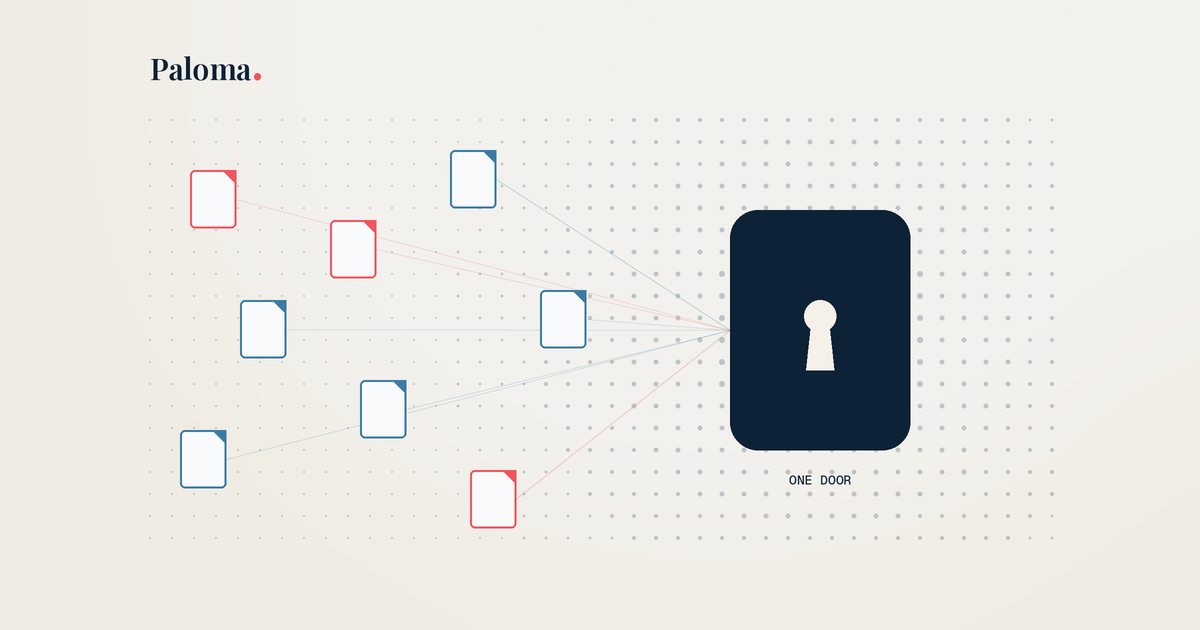
A client portal for accountants is a secure, branded website where your clients upload documents, answer questions, sign forms and get their finished return, all in one place instead of scattered across email. For a small tax firm, it is also one of the simplest ways to meet the security rules you already have to follow.
What a client portal for accountants actually does
Think of a portal as the front door to your firm. Instead of a client emailing you a blurry W-2 photo at 11pm, they log in, see a list of what you need, and upload it to the right spot.
Most portals cover the same core jobs:
- Secure document exchange. Clients upload files and you send files back, with encryption in transit and at rest.
- A request list. Clients see exactly what's missing, so you stop writing the same "just checking in" email.
- Messaging. Questions stay attached to the client record instead of buried in your inbox.
- Electronic signatures. Engagement letters and authorization forms get signed without printing anything.
- Return delivery. The finished return goes back through the same secure channel.
Some portals stop there. Others reach further back into the process, like intake questionnaires that replace the paper organizer, or tools that read uploaded documents and pull the numbers out for you. That earlier work is where a lot of preparer time goes, so it's worth asking how far back each portal reaches. If you want a deeper look at how the client side of this feels, we wrote about it in why the client portal experience matters.
Why email and shared folders stop working
Email feels free and familiar, which is why most new firms start there. The problems show up around your second tax season.
Files end up in five places. A client sends a 1099 in one thread, a corrected one in another, and a photo by text. You spend real time just finding the latest version. Reminders are manual, so chasing missing documents becomes a part time job. And sensitive data is sitting in inboxes that were never designed to hold it.
That last point is the one that matters most, because it isn't just a workflow issue. It's a legal one.
New firm? Starter Pack, $65/mo
Full platform access for firms in their first two years
What the law expects from your portal
This is the part most portal guides skip, and it's the part that should shape your choice.
The IRS says it plainly in Publication 4557: "Protecting taxpayer data is the law." Under the Gramm Leach Bliley Act and the FTC Safeguards Rule, tax preparers are treated as financial institutions. IRS Publication 5708 puts it this way: "tax and accounting professionals are considered financial institutions, regardless of size."
Here's what that means for how you share client files.
You need a written information security plan
The Safeguards Rule requires a written information security plan, often called a WISP. Publication 5708 says "the law requires you to have one" and that "your WISP must be written and accessible." The IRS sample template even includes a policy for exchanging documents through a password protected portal. Your portal choice should be written into that plan.
Encryption and multifactor authentication are required
The FTC's guidance tells covered businesses to "encrypt customer information on your system and when it's in transit" and to use multifactor authentication for anyone accessing customer information on their systems. The IRS adds that multifactor authentication "is required for all companies regardless of size." If you must send sensitive data by email, the IRS says to encrypt it. A good portal handles both for you so you aren't relying on every staff member remembering.
You're responsible for your vendors
The FTC also says your contracts with service providers "must spell out your security expectations." In plain words, picking a portal vendor is part of your security program. That's why the vendor questions below matter.
Other rules worth knowing
- Security events affecting 500 or more people must be reported to the FTC no later than 30 days after discovery.
- Customer information generally has to be disposed of no later than two years after you last used it, with some exceptions.
- The FTC exempts firms with information on fewer than 5,000 consumers from certain provisions of the rule. Most small firms fall under that line, but the core requirements still apply, so check the FTC guidance for the details.
This isn't legal advice, and your situation may differ. But if a portal can't help you meet these basics, it isn't the right portal.
Features to look for, ranked by what small firms need
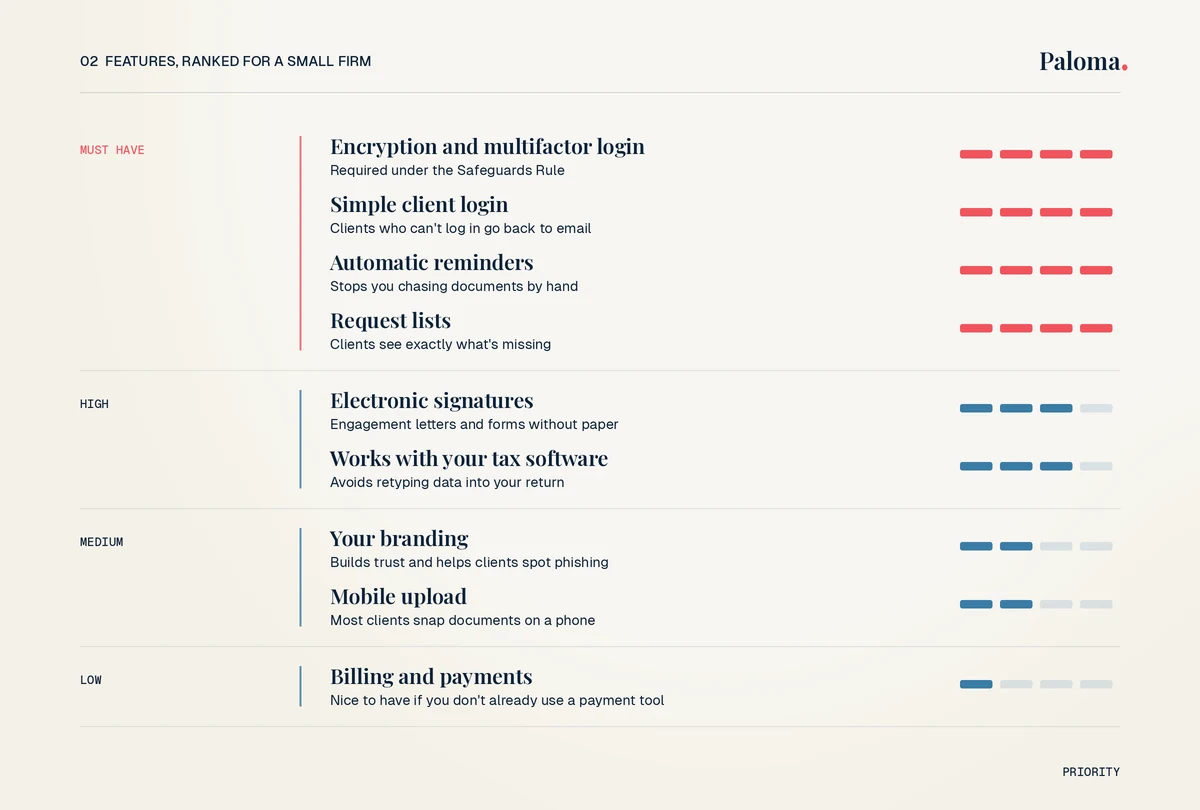
Not every feature deserves equal weight. Here's how we'd rank them for a firm with one to three preparers.
| Feature | Why it matters | Priority for a small firm |
|---|---|---|
| Encryption and multifactor login | Required under the Safeguards Rule | Must have |
| Simple client login | Clients who can't log in go back to email | Must have |
| Automatic reminders | Stops you from chasing documents by hand | Must have |
| Request lists | Clients see exactly what's missing | Must have |
| Electronic signatures | Engagement letters and forms without paper | High |
| Works with your tax software | Avoids retyping data into your return | High |
| Your branding | Builds trust and helps clients spot phishing | Medium |
| Mobile upload | Most clients will snap documents on a phone | Medium |
| Billing and payments | Nice to have if you don't already use a payment tool | Low |
One note on tax software. A portal usually works alongside your tax software, not instead of it. Ask how documents and data get from the portal into the program you actually prepare returns in.
Questions to ask every portal vendor
Almost none of the guides out there tell you what to ask before you sign. Use this checklist on every demo call.
- Can you share a SOC 2 report or summary, and which type is it?
- Is client data encrypted in transit and at rest?
- Do you support multifactor authentication for my staff and my clients?
- Where is client data stored, and who are your subprocessors?
- Can I export all client files and data if I leave?
- What happens to my data after I cancel, and how is it deleted?
- How do clients log in, and what happens when they forget their password?
- Can reminders go out under my firm's name?
- How does the portal connect to my tax software?
- What does it cost in total for my firm size, including add ons?
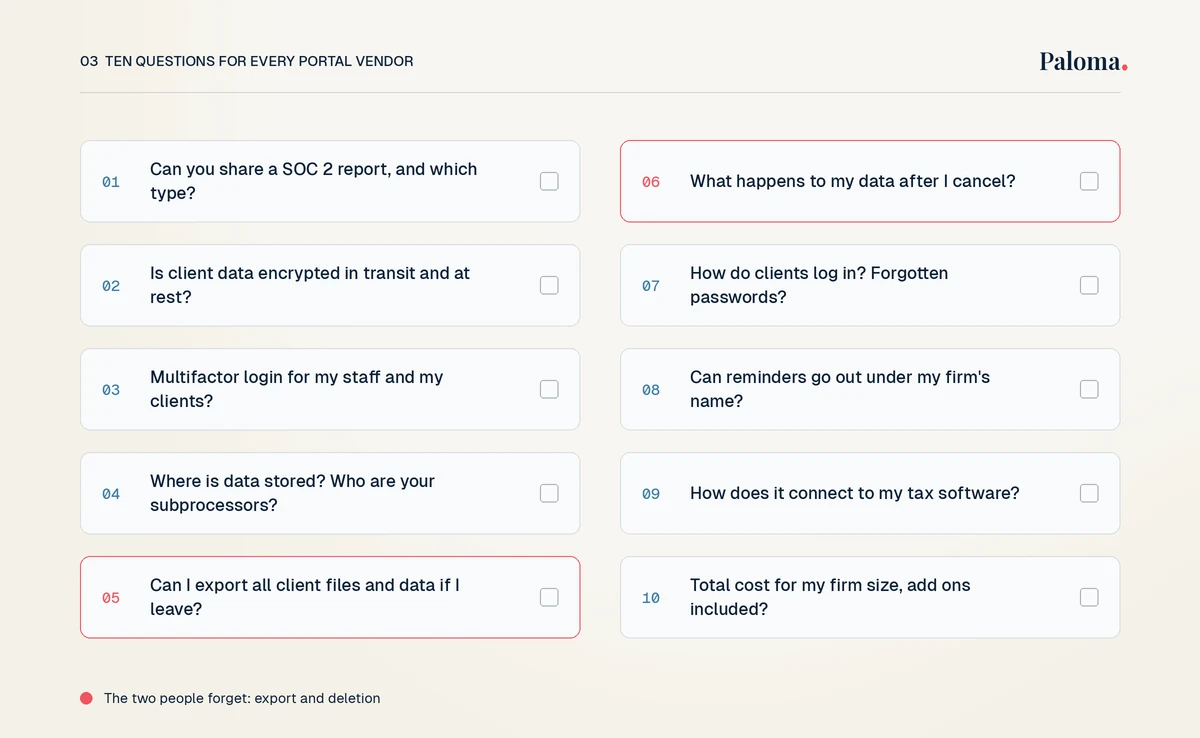
The export and deletion questions are the ones people forget. Switching portals later is painful if your files are locked in, and the disposal rule means you need a way to actually remove old data.
Book a demo
See client intake and doc collection on your own workflow
How to get clients to actually use it
A portal only helps if clients finish what you send them. Here's what works.
Make login easy. Clients will tolerate one extra step for security, but not a confusing setup. Ask vendors to walk you through the first login exactly as your client would see it.
Send one clear request, not ten emails. A single list of what's needed is easier to act on than a stream of messages.
Let reminders do the nagging. Automatic reminders sent from your firm's name feel personal and save you the awkward follow ups.
Plan for the holdouts. Some clients will still email you a document. Have a simple rule: you upload it to their portal folder yourself, then delete it from your inbox. That keeps your records in one place and your WISP honest.
Start with new clients. If you're starting a tax preparation business, set the portal as the only way to send documents from day one. It's much easier than retraining clients later.
How to roll out a portal in your first season
If you're switching mid stream, keep it simple.
- Pick your portal and add it to your written security plan.
- Set up your request list templates for your most common return types.
- Send your engagement letter through the portal so every client logs in once early.
- Turn on automatic reminders before the January rush.
- After the season, export a list of what clients struggled with and fix your templates.
A good intake process makes all of this smoother. Our page on client intake software walks through what a modern intake flow looks like, and our secure file sharing page covers how files move safely between you and your clients.
Frequently Asked Questions
What is a client portal for accountants?
It's a secure website where clients upload documents, answer questions, sign forms and receive finished work from their accountant. It replaces email attachments and shared folders with one protected place.
Do tax preparers have to use a client portal?
No law names a portal specifically. But the FTC Safeguards Rule requires encryption, multifactor authentication and a written security plan, and a portal is one of the easiest ways to meet those requirements when exchanging client files.
Is email secure enough for tax documents?
Regular email isn't encrypted by default. The IRS says that if you must send sensitive data by email, you should encrypt it, and it suggests using a secure file transfer method instead of email.
What security features should a client portal have?
At minimum, encryption in transit and at rest, multifactor authentication, and access controls for staff. Ask vendors for a SOC 2 report so you can see how their security has been reviewed.
How do I get clients to use the portal?
Keep login simple, send one clear list of what you need, turn on automatic reminders, and make the portal the default for every new client from day one.
Does a client portal replace my tax software?
Usually not. Most portals handle the client side, like intake, documents and signatures, and work alongside the tax software you use to prepare returns.
Where to start
If you're a newer firm, start with security and ease of use, then look at how much of your intake work a portal can take off your plate. That's where Paloma focuses: AI intake forms, document collection that reads and files what clients upload, and reminders sent from your own email. If you'd like to see it with your own workflow, request a Paloma demo and we'll walk you through it.
Try Paloma
Related Articles
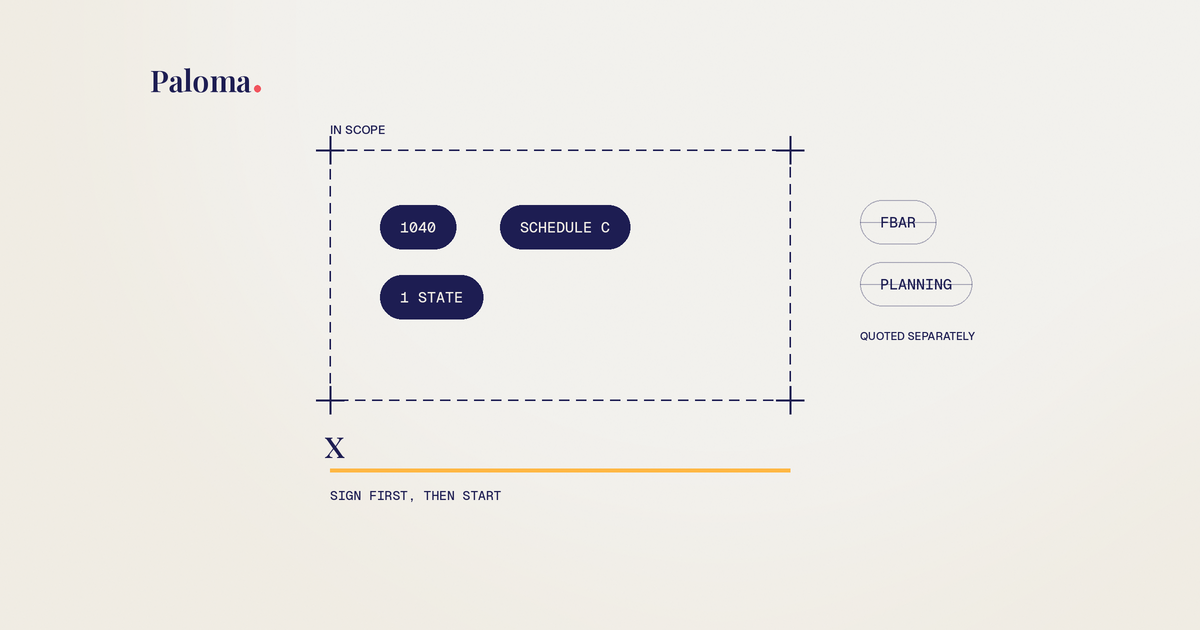
Engagement Letter for Tax Preparers: Clauses and Template
The clauses every tax prep engagement letter needs, the mistakes that cause scope creep and fee fights, and a plain language template you can adapt.
Read more →
Do I Need a CPA for My LLC? How to Decide for Your Setup
No law says your LLC needs a CPA. Here's how your LLC is taxed, when filing yourself works, and the moments when paying for help makes sense.
Read more →
Tax Document OCR: How It Works and Where It Breaks
How tax document OCR reads W-2s, 1099s and K-1s, where it gets values wrong, and how small tax firms can review the output fast.
Read more →
How Much Does It Cost to Have Business Taxes Done?
What business tax returns really cost once you add the owner's return, states and books, plus how to get a fixed quote before tax season.
Read more →Ready to stop chasing client documents?
Paloma collects, sorts and reads your clients’ tax documents so your team can start prep sooner.
Book a demoReferences
- IRS Publication 4557, Safeguarding Taxpayer Data
- IRS Publication 5708, Creating a Written Information Security Plan for your Tax and Accounting Practice
- FTC Safeguards Rule: What Your Business Needs to Know
- Financial Cents: Client Portals for Accountants
- Liscio: The Definitive Guide to Client Portals for Accountants
- Karbon: Client Portal for Accounting Firms