Jump to section

Tax Client Intake Form Template: What to Ask and Why
A free tax client intake form template for small firms, section by section, plus what to leave off the form and how to collect it safely.
·8 min read·By Abby Melby
Key Takeaways
- A good intake form has six parts: contact, household, income, deductions, life events, and consent.
- Most free templates skip the questions that cause real problems later, like digital assets, IRS letters and Identity Protection PINs.
- Ask yes or no first, then follow up. Clients finish short forms.
- Collecting SSNs means you need a secure way to receive them. Email is not it.
A tax client intake form template is the set of questions you ask every new client before you take on their return: who they are, who's in their household, where their money came from, and what changed this year. Below is a complete template you can copy, plus the questions most templates forget.
Why your intake form matters more than it looks
The intake form is the first real thing a new client does with your firm. If it's long, confusing, or arrives as a PDF they have to print, a lot of people stall right there. And if it misses a question, you find out in March when a 1099 shows up that nobody mentioned.
I looked at the top templates people find when they search for this. Most of them cover the basics well: name, address, filing status, income types and common deductions. A few are just a description of a form builder with no actual questions in them. Almost none ask about digital assets, IRS letters, identity protection PINs or how the client's information will be protected.
So the template below starts with the basics and then fills in those gaps. A good model for the gaps is the IRS's own intake sheet, Form 13614-C, which volunteer sites use with every client. It's long, but it's a great checklist of what tends to get missed.
The tax client intake form template
Copy these sections into whatever you use today, whether that's a form builder, your portal, or an online intake tool. Keep each question short and plain.
1. Contact and identity
- Full legal name, and spouse's name if married
- Date of birth for taxpayer and spouse
- Mailing address, phone and email
- Best way and time to reach you
- Filing status last year, and marital status as of December 31
- Did you move to or live in more than one state this year?
- Were you issued an Identity Protection PIN (IP PIN) by the IRS?
2. Household and dependents
- Each dependent's name, date of birth and relationship to you
- How many months each dependent lived in your home this year
- Was any dependent a full time student?
- Did any dependent have income of their own?
- Can anyone else claim you or your spouse as a dependent?
- Did you pay for child or dependent care? If yes, who was the provider?
3. Income
- Wages (W-2) from each employer
- Self employment, freelance or gig work
- Payments received through apps or online marketplaces
- Interest and dividends
- Sales of stocks, crypto or other investments
- Rental property income
- Retirement distributions, pensions or Social Security
- Unemployment
- Any other money received during the year
4. Deductions and credits
- Did you itemize last year?
- Mortgage interest and property taxes
- Charitable donations
- Education costs (yours or a dependent's)
- Student loan interest
- Retirement or HSA contributions
- Health insurance through the Marketplace
5. Life events and IRS history
- Married, divorced, had a baby, or lost a spouse this year
- Bought or sold a home
- Started or closed a business
- Did you own, sell or receive any digital assets?
- Did you receive any letter or bill from the IRS or your state?
- Was a credit disallowed on a past return?
- Do you have a capital loss carryover from last year?
6. Documents and consent
- Upload last year's federal and state returns
- Upload a photo ID for you and your spouse
- Upload this year's tax documents as they arrive
- Direct deposit or payment preference
- Signature confirming the information is complete and accurate
- Consent to how you'll use and store their information
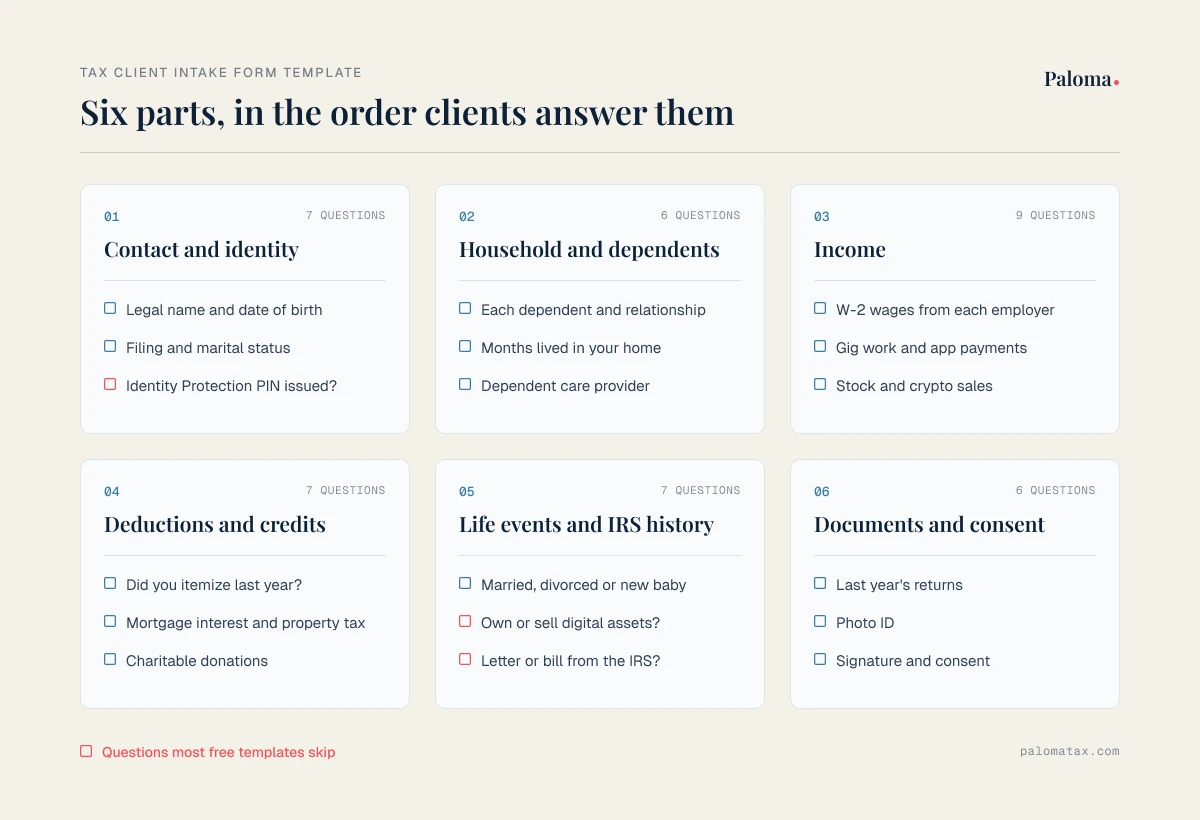
If you only add three questions from this list to your current form, make them the IRS letter question, the digital asset question and the IP PIN question. Form 13614-C asks all three directly, and they're the ones that cause the most back and forth later. The IRS also tells preparers in Publication 4557 to educate clients about the availability of the Identity Protection PIN, so the intake form is a natural place to start that conversation.
New firm? Starter Pack, $65/mo
Full platform access for firms in their first two years
Ask yes or no first, then follow up
The biggest reason clients don't finish an intake form is length. A form that shows every rental property question to someone who rents an apartment feels endless.
The fix is simple. Start each section with a yes or no question, and only show the follow up questions when the answer is yes. "Did you have rental income this year?" If no, the client skips the whole rental section. A W-2 client with no kids ends up with a short form, and short forms get finished.
This is also where online forms beat a PDF. If you want to go further with this, our post on how an electronic tax organizer works covers conditional questions and how to move clients off paper.
What to leave off the form
A good intake form is as much about what you don't ask. A few things I'd keep off it or handle differently:
| Item | Ask on the form? | Better approach |
|---|---|---|
| Full SSNs | Only through a secure form or portal | Never by email or text, and limit who on your team can see them |
| Bank account numbers | Not on the first form | Confirm at the end, right before filing |
| Every possible deduction | No | Ask yes or no first, then show the details that apply |
| Copies of documents you already have | No | Pull from last year's file and ask only what changed |
| Questions you won't use | No | If nobody on your team reads the answer, delete the question |
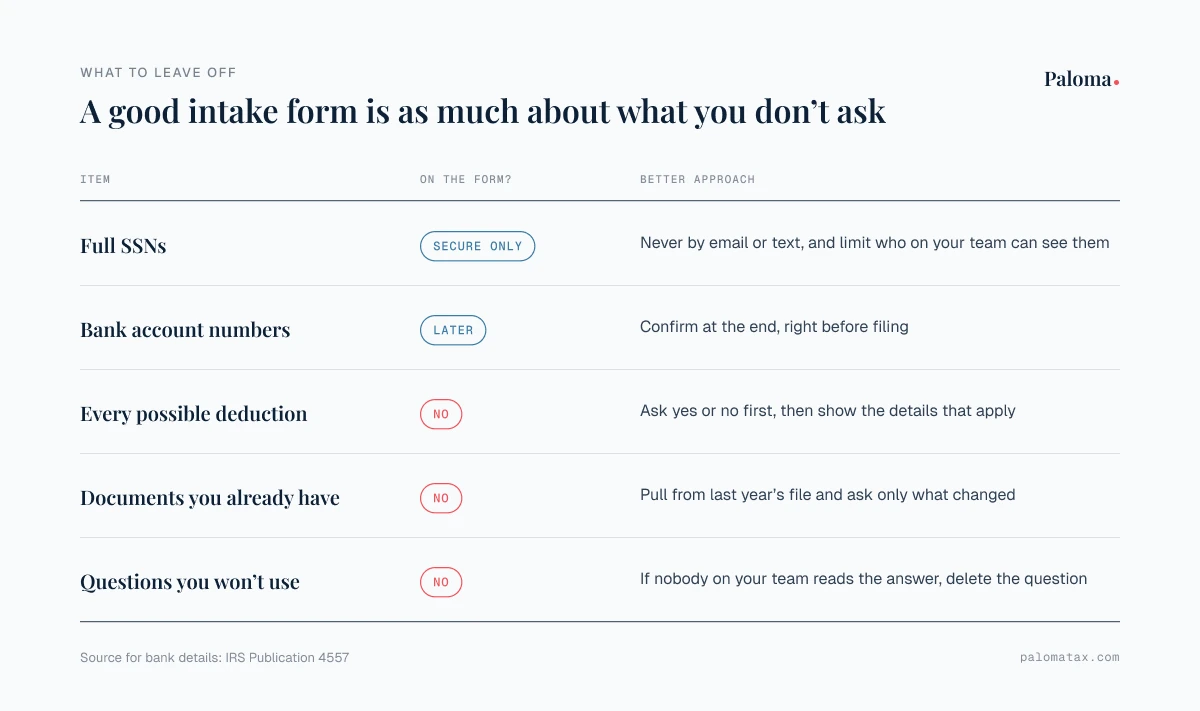
The bank account point comes straight from the IRS. Publication 4557 tells preparers to "make a final review of return information, especially direct deposit information, prior to e-filing." It's much easier to confirm those numbers once, at the end, than to trust what a client typed into a form in January.
Keep client data safe from day one
The minute your intake form collects SSNs and dates of birth, you're holding the exact information identity thieves want. That comes with real obligations, even for a one person firm.
According to Publication 4557, under the FTC Safeguards Rule, tax return preparers must create and enact security plans to protect client data, and the rule requires a written information security plan. The same publication says multifactor authentication is required for all companies regardless of size, and it recommends encrypting sensitive files and emails and limiting access to taxpayer data to people who need to know.
For your intake form, that means a few practical things:
Use a secure form or portal, not email attachments. A client emailing a photo of their Social Security card is the thing you're trying to avoid. Our guide to secure file sharing for accountants walks through what to look for.
Turn on MFA for everyone on your team who can see intake answers.
Write it down. Your written security plan should say where intake forms are stored and who can see them. If you don't have one yet, the client portal section of our guide for small tax firms covers the basics.
Book a demo
See client intake and doc collection on your own workflow
Consent and engagement come right after intake
An intake form tells you about the client. It doesn't set the terms of your work together. Most firms send an engagement letter right after intake, once they know the client's situation and what services they need.
It's also worth being clear about consent. The IRS volunteer program pairs Form 13614-C with a separate consent form (Form 15080) for sharing return information. That form says consent isn't valid if it's obtained by conditioning tax preparation services on it, and that if no duration is given, consent is valid for one year from the date of signature. Your own consent language will depend on your firm and your software, so check it with your professional resources, but the takeaway is simple: keep consent separate, clear and in plain words.
Intake is the start of your whole season. If you want to see how it connects to everything after it, we wrote about building a repeatable tax workflow from intake to filing.
Frequently Asked Questions
What should a tax client intake form include?
Contact and identity details, household and dependents, income sources, deductions and credits, life events and IRS history, and a section for documents and consent. Start each section with a yes or no question so clients only see what applies.
Is an intake form the same as a tax organizer?
They overlap a lot. An intake form is usually what you send a new client to get to know them. An organizer is what you send every client each year to collect that year's numbers and documents. Many firms combine them into one online form.
Should I collect Social Security numbers on an intake form?
You'll need them to prepare the return, so yes, but only through a secure form or portal. Don't ask clients to email or text them, and limit who on your team can see them.
How long should a tax client intake form be?
As short as you can make it for each client. Use yes or no questions to hide sections that don't apply. A W-2 only client should be done in a few minutes.
When should I send the intake form?
As soon as a new client says yes, and before you send the engagement letter, so you know what services they need. For returning clients, send your organizer in early January.
Can I use a free form builder for client intake?
You can, as long as it's secure enough for SSNs and financial information and your team can turn on MFA. Check where the answers are stored and who at the vendor can access them.
If you'd like to see how a guided client intake flow and automated document reminders can take this off your plate, request a Paloma demo. I'd be happy to walk you through it and see if it's a good fit.
Try Paloma
Related Articles
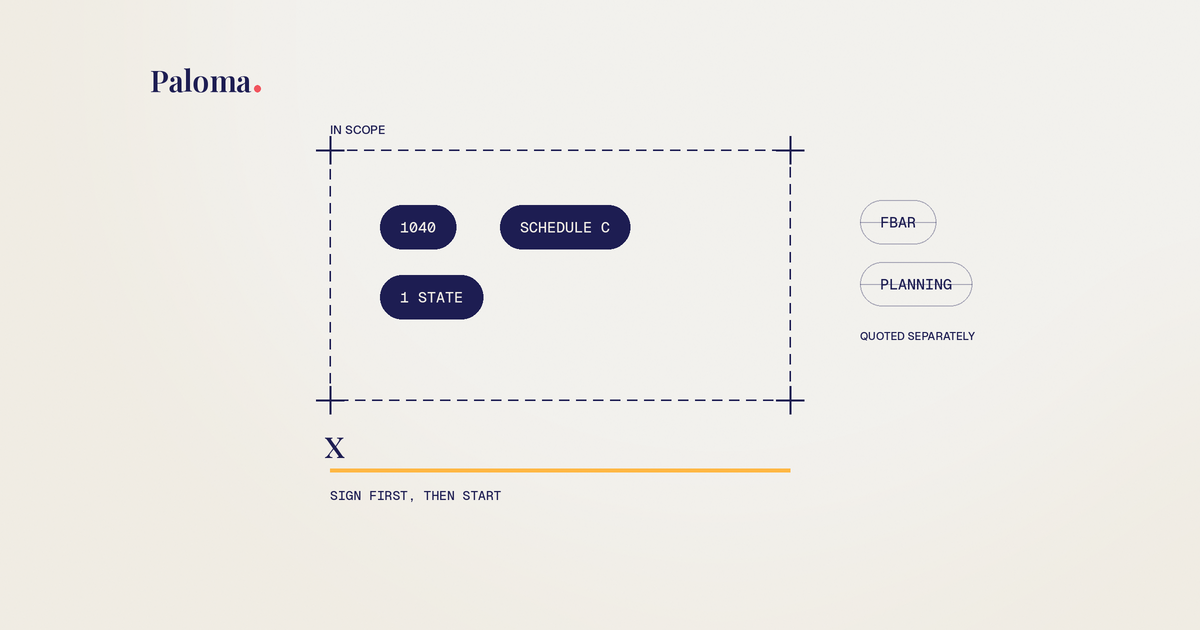
Engagement Letter for Tax Preparers: Clauses and Template
The clauses every tax prep engagement letter needs, the mistakes that cause scope creep and fee fights, and a plain language template you can adapt.
Read more →
Do I Need a CPA for My LLC? How to Decide for Your Setup
No law says your LLC needs a CPA. Here's how your LLC is taxed, when filing yourself works, and the moments when paying for help makes sense.
Read more →
Tax Document OCR: How It Works and Where It Breaks
How tax document OCR reads W-2s, 1099s and K-1s, where it gets values wrong, and how small tax firms can review the output fast.
Read more →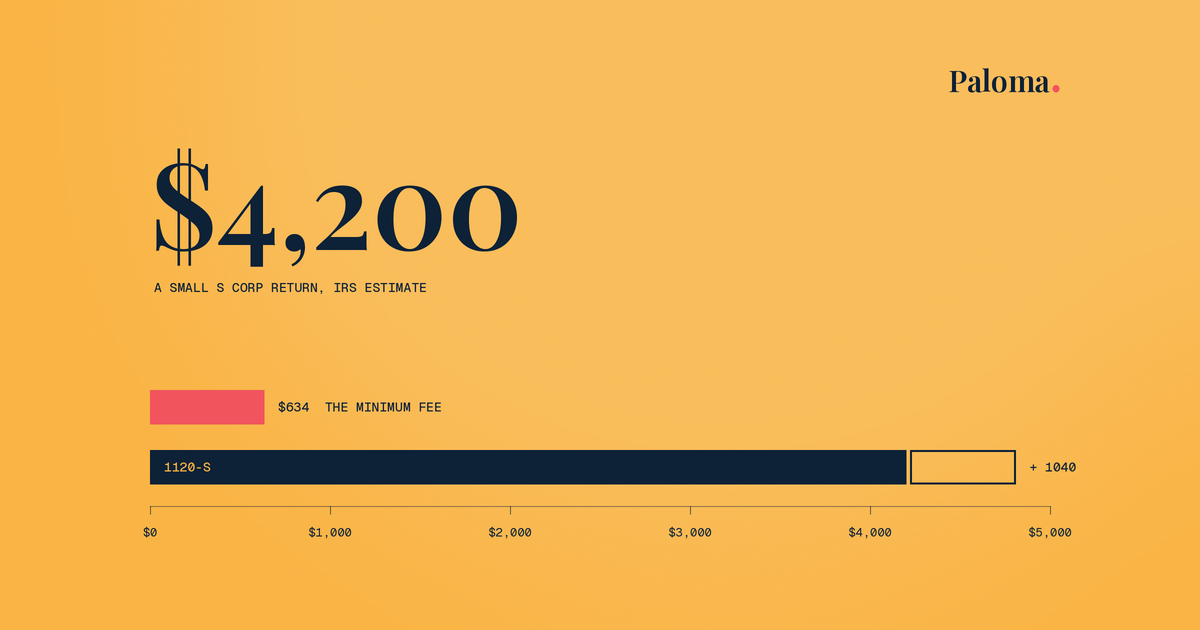
How Much Does It Cost to Have Business Taxes Done?
What business tax returns really cost once you add the owner's return, states and books, plus how to get a fixed quote before tax season.
Read more →Ready to stop chasing client documents?
Paloma collects, sorts and reads your clients’ tax documents so your team can start prep sooner.
Book a demo